
FoxPNG image compression & conversion guide
FoxPNG is a free browser-based image compressor and converter. It compresses supported JPEG, PNG, WebP, GIF, AVIF and JXL inputs locally, and can create additional AVIF, JXL, WebP, JPEG and PNG files from supported static images. Image contents and filenames are not uploaded for processing.
What FoxPNG supports
| Input | Original-format behavior | Conversion and restrictions |
|---|---|---|
| JPEG / JPG | Lossy re-encoding using the selected quality. A smaller original is retained. | Supported static images can produce extra AVIF, JXL, WebP, JPEG and PNG outputs. JPEG cannot retain transparency; conversion uses the selected solid background. |
| PNG | Smart color reduction by default, with a separate lossless mode. Alpha and color-error guards can cause a lossless fallback. | APNG is retained unchanged. Precision/profile restrictions can block conversion. PNG transparency is supported. |
| WebP | Static WebP is re-encoded with lossy quality and transparency support. | Animated WebP is retained byte-for-byte in its own format; animation conversion is blocked. |
| GIF | Gifsicle optimizes the complete animation. Dimensions, frame count, delays and loop metadata are checked; the original is kept if those checks fail or output is larger. | GIF is not an extra output format. Animated inputs are not flattened into a single frame for conversion. |
| AVIF / JXL | Local WASM decoders accept supported static 8-bit sRGB inputs. Encoding follows quality settings for opaque images. | Up to 4 million pixels. Animation, unsupported precision/profile/orientation/container cases are protected. Transparent JXL uses lossless encoding; its quality slider has no effect. |
Conversion adds files alongside the compressed original format. Larger converted files remain downloadable. Same-format compression keeps the smaller original when re-encoding does not save space. JPEG/WebP re-encoding and cross-format conversion remove metadata; retained originals keep theirs. PNG/GIF may retain metadata, so this is not a certified metadata-removal tool.
Choose a quality level and PNG mode
Lower quality usually trades visual detail for smaller JPEG, WebP and opaque AVIF/JXL files. Quality 100 is not a universal lossless setting. Compare the actual downloaded image at its intended display size.
PNG Smart uses color quantization and OxiPNG. It can change colors, while preserving alpha and checking displayed-color error limits. Larger or unsuitable candidates fall back to lossless processing.
PNG Lossless preserves decoded RGBA pixels, including hidden RGB under transparent pixels. Inputs above 1.5 million pixels bypass smart quantization. Sixteen-bit and certain ICC/cICP/chromaticity/gamma PNGs also bypass quantization; cross-format conversion may be protected.
Animated WebP, APNG, AVIF and JXL are preserved in their own format instead of being flattened. GIF optimization is lossless, but the test cases below do not cover every possible disposal/compositing edge case.
Practical limits
- 100 images in the queue; 25 MiB (26,214,400 bytes) per file, shown as 25 MB in the tool.
- 24 million decoded pixels per image; AVIF/JXL processing has a stricter 4 million pixel limit.
- GIF: at most 500 frames and 100 million total frame pixels.
- ZIP downloads are capped at 128 MiB of output data. Download larger batches individually.
- No automatic resizing is used to meet these limits. JPEG orientation follows browser decoding. A failed output does not discard other completed outputs.
Local image processing and offline use
Image bytes and filenames stay in browser memory and local Workers. This does not mean the entire website makes no network requests: the first visit loads the page, artwork and codec assets, and website visit analytics is separate from image processing.
After the production page and engines finish caching, the same browser can reload and compress offline. Development mode does not install this cache. Private browsing, disabled storage, cache eviction or clearing cached data can prevent offline use.
The queue is held in the current tab. Reloading or leaving the tool clears it. The guide link in the tool opens separately so it does not interrupt the current queue.
A small, reproducible sample run
These are actual local-browser downloads from six self-generated synthetic images. Gradients, transparency and moving rectangles are diagnostic examples, not a representative photo benchmark. Source encoder settings, including an intentionally unoptimized GIF, strongly affect savings. No typical savings percentage, speed claim or competitor comparison is inferred.
Measured: · Browser: Edge 156.0.4314.42
| Case and settings | Dimensions | Input → output bytes | Saved | Independent check |
|---|---|---|---|---|
| Synthetic JPEGquality 80Source · Output | 320 × 240 | 50,054 → 5,172 | 89.67% | Decoded format & dimensions checked |
| Same JPEG, lower qualityquality 45Source · Output | 320 × 240 | 50,054 → 1,701 | 96.6% | Decoded format & dimensions checked |
| Transparent PNG, smartPNG Smart (lossless fallback)Source · Output | 128 × 96 | 550 → 331 | 39.82% | Alpha exact |
| Same PNG, losslessPNG LosslessSource · Output | 128 × 96 | 550 → 331 | 39.82% | RGBA exact |
| Synthetic static WebPquality 80Source · Output | 320 × 240 | 23,852 → 2,122 | 91.1% | Decoded format & dimensions checked |
| Four-frame GIFFull-animation lossless optimizationSource · Output | 96 × 64 | 997 → 560 | 43.83% | Frames, timing & pixels exact |
| Already compact PNGPNG Smart (lossless fallback)Source · Output | 8 × 8 | 79 → 74 | 6.33% | Alpha exact |
| Protected animated WebPRetained; not re-encodedSource · Output | 96 × 64 | 378 → 378 | 0% | Original bytes retained |
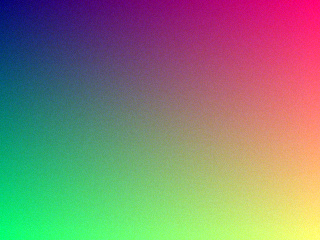
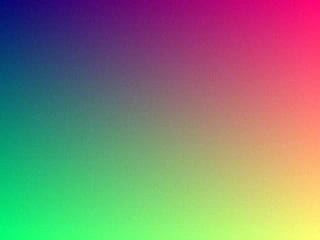

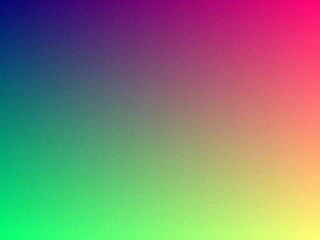
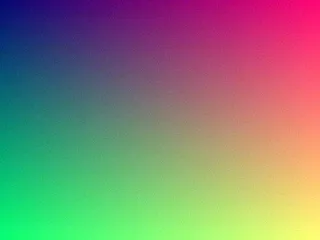


These results apply only to the samples shown. Lossy compression can change picture detail, so compare the downloaded image as well as its size. The GIF check covers all four sample frames. The unchanged animated WebP is kept as-is, not compressed.
Try a sample yourself
- Download a Source image from a row in the sample table.
- Open FoxPNG and keep format conversion turned off.
- Use the quality and PNG mode shown in that row. If no quality is shown, keep the default of 80.
- Compress and download the result. Compare its file size and picture detail; you can also download the row’s Output image as a reference.
Settings and browser versions can change the file size and picture quality. These sample results do not promise the same savings for other images.